Your library,
kept by you.
Seshat streams your movies, music, audiobooks, and ebooks from your own server to every screen you own. No ads. No subscription. No account with anyone but yourself.
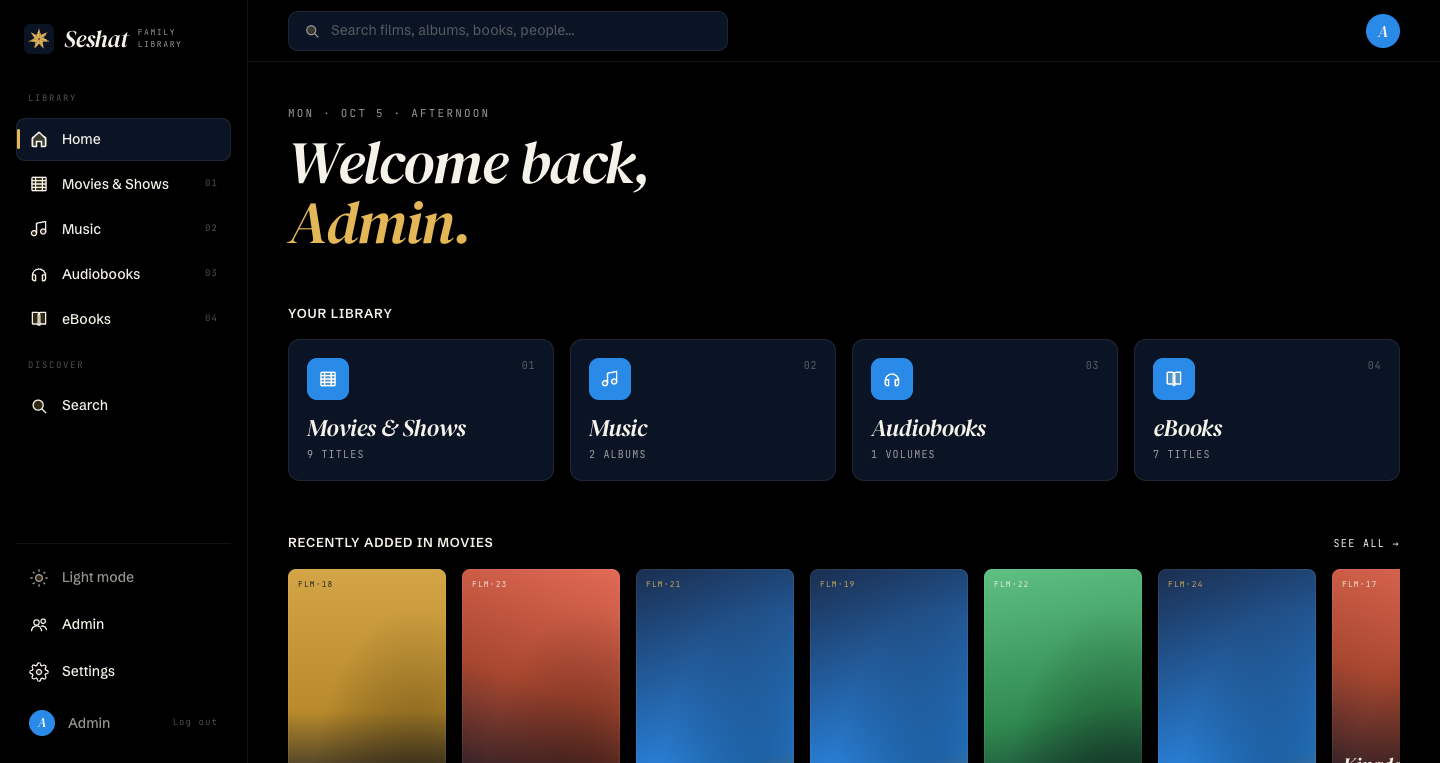
Four formats, one shelf.
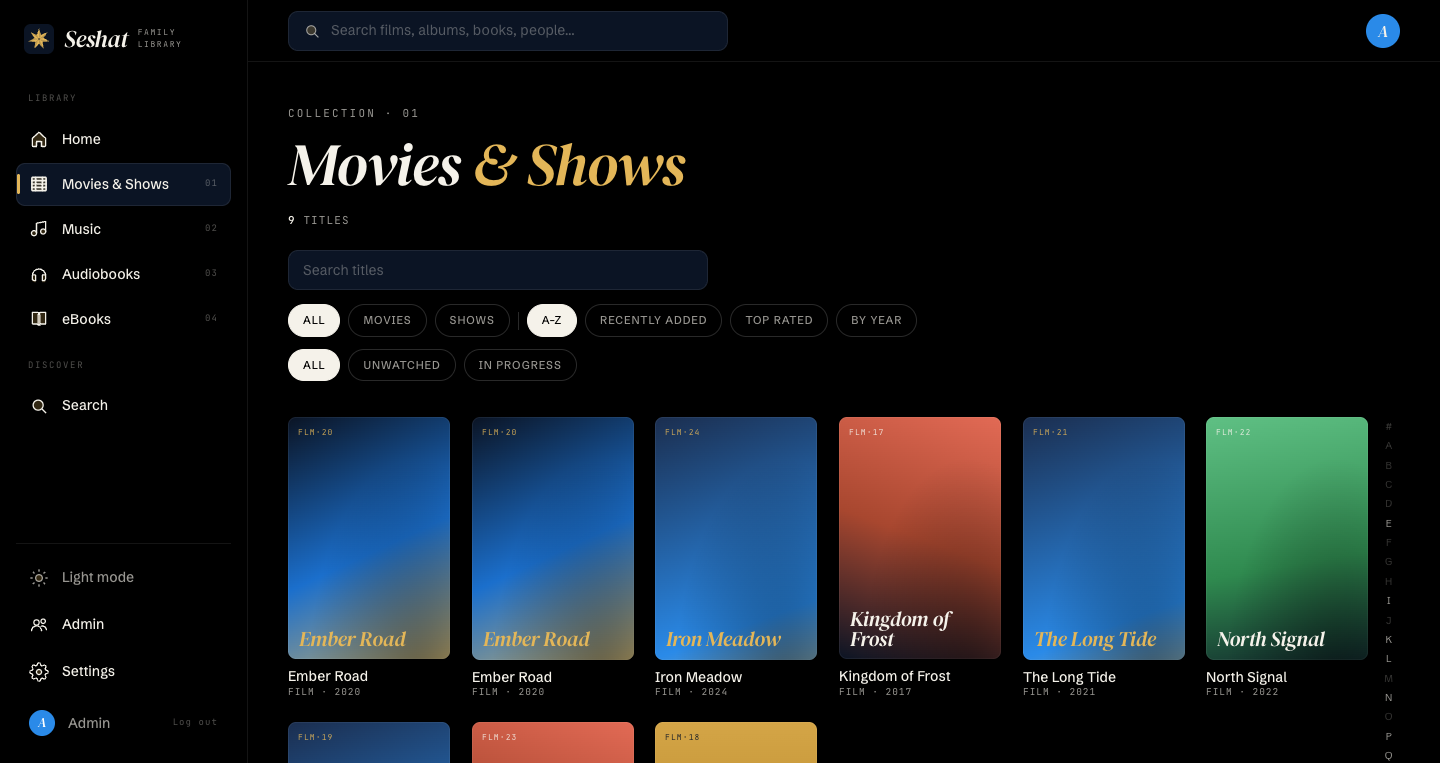
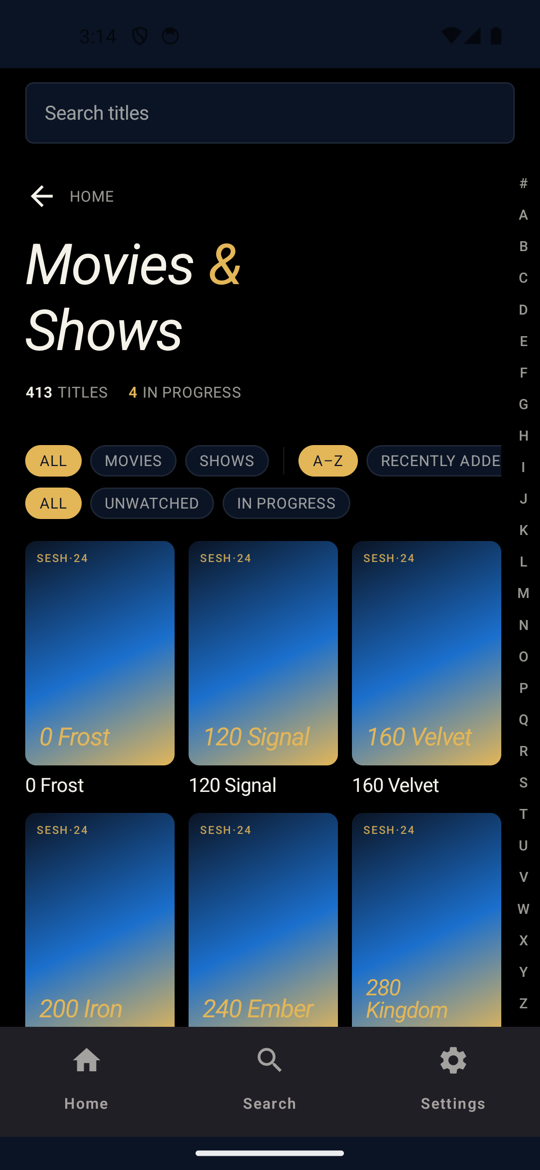
Point Seshat at your folders. It scans the files, finds the metadata and the cover art, and puts all of it in one library. A title with no art gets a generated jacket in the house colors.
Movies
One folder per film. Seshat transcodes it once and streams it at the right size for each screen.
- Adaptive bitrate (HLS)
- Scrub previews
- TMDB metadata and art
- Episodes: in progress
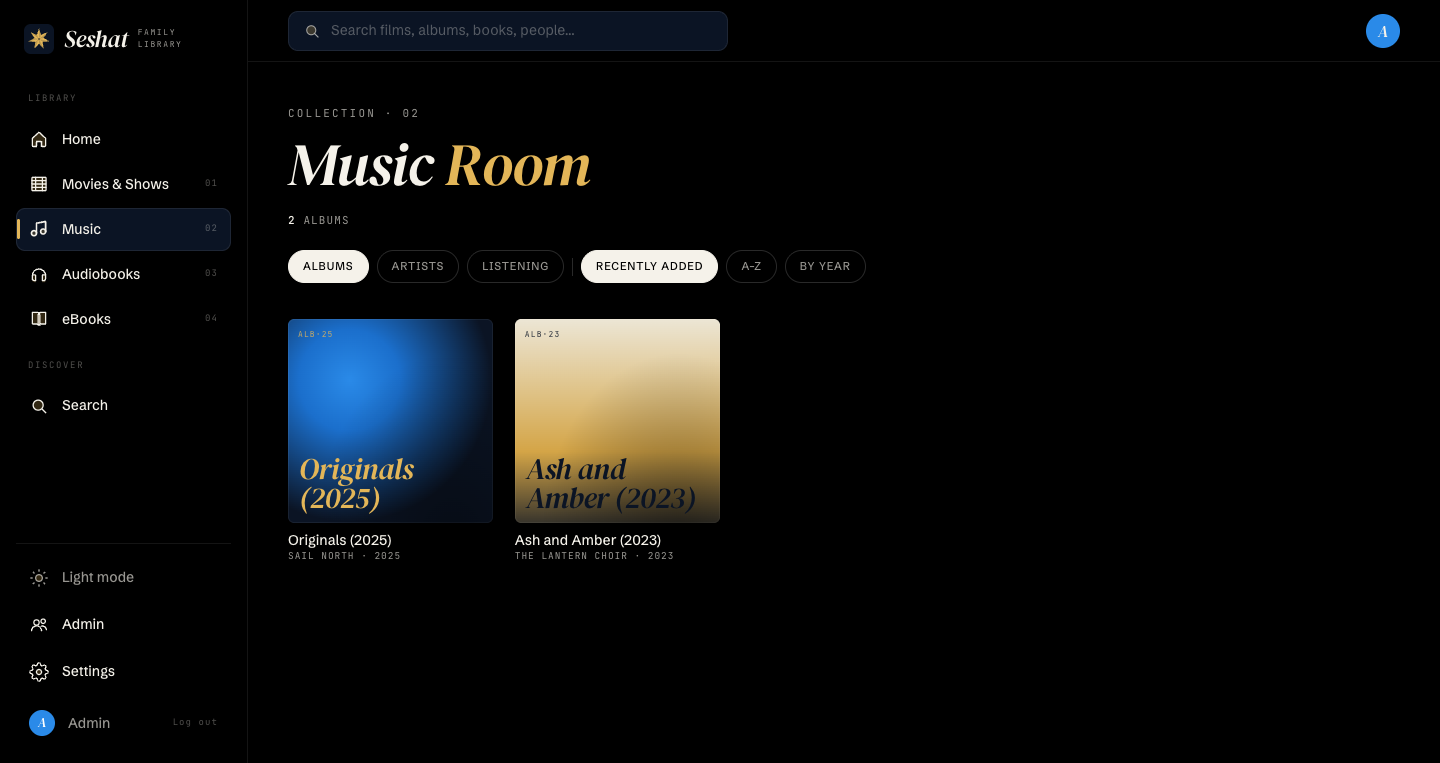
Music
Artist, album, and track from the tags in your files. Playback continues while you browse.
- MP3, FLAC, M4A, OGG, Opus
- Lyrics, timed when available
- Album art from the folder
- Queue and now-playing bar
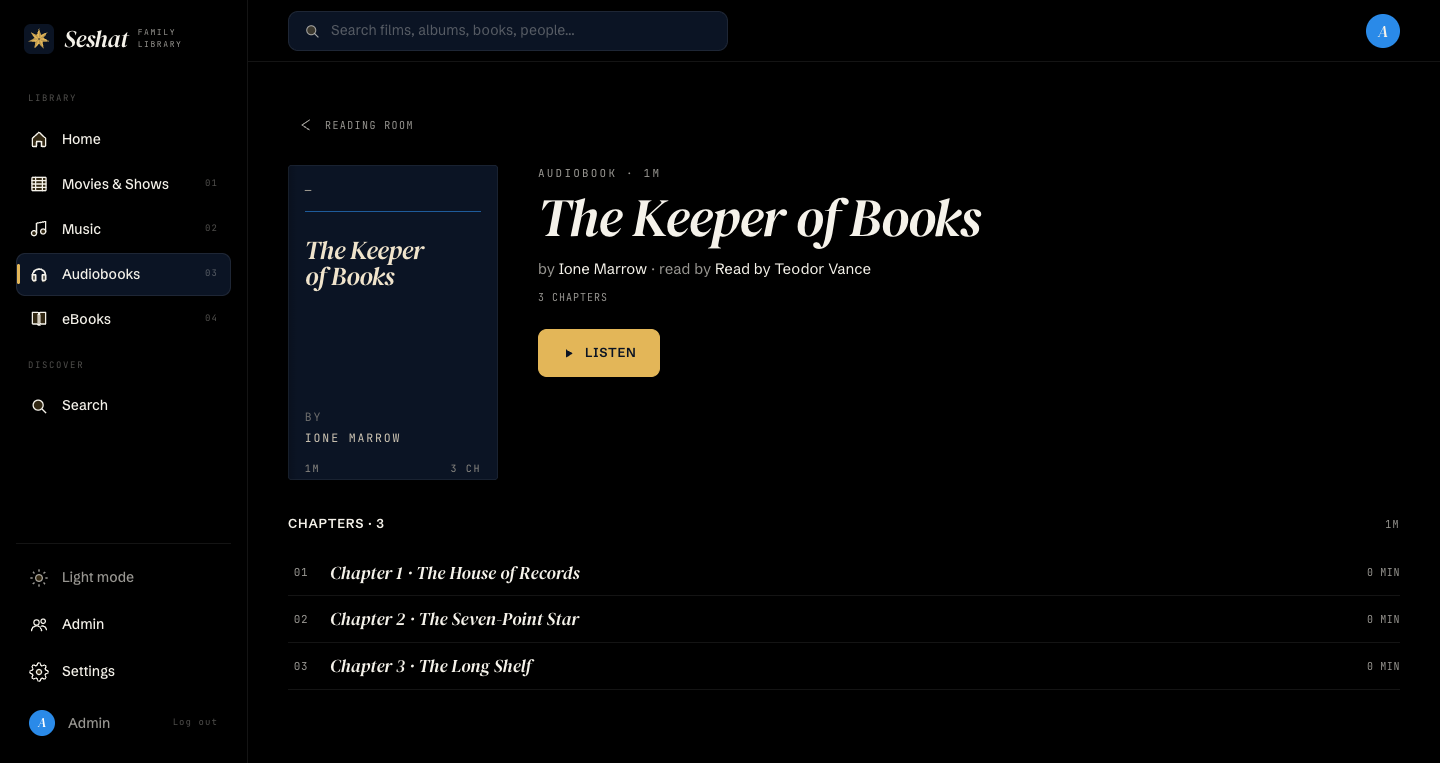
Audiobooks
M4B files with chapter marks. Your position is kept on the server, so you start where you stopped.
- Chapters from the file
- Bookmarks
- Narrator and author
- Series-aware sorting
Ebooks
EPUB files, read in the app. Highlights and bookmarks are kept with the book.
- Reader in each client
- Highlights and bookmarks
- Paper and font choices
- Reading position by character
Built for a household.
Seshat is made for one home with several people and several screens. The features are the ones a family uses each day.
Continue on any screen
Progress is stored on the server. Stop on the TV and continue on your phone at the same second.
Profiles with a PIN
Each person has a profile, a PIN, and their own progress, shelf, and accent color.
Offline downloads
Download movies, audiobooks, and ebooks to your phone before you travel. Progress syncs when you return.
Automatic transcoding
Video becomes HLS at more than one bitrate. Audio levels are made equal. Hardware encoding is used when the host has it.
Chromecast
Send video from your phone to a Cast device on your network. The server serves the stream directly.
Remote access
Put the server behind Cloudflare Access. The apps sign in with your email and work away from home.
Finds itself on the LAN
The phone app discovers the server on your network. No address to type.
Search everywhere
One search box across films, albums, books, and people, with results in an instant.
Dark and light
A dark theme for the living room and a warm paper theme for the day. Same tokens on every client.
Simple to run.
Start the container
You will run one Docker image with ffmpeg included. Give it a data folder and a six-digit admin PIN.
Add your folders
Mount your movies, music, audiobooks, and ebooks. Seshat will scan them and transcode video in the background.
Open an app and sign in
The web client will be at port 8080. The phone app will find the server on the LAN. Sign in with the PIN and make profiles.
Native on every screen.
Each client is written for its platform, not wrapped from the web. They share one design language, one API, and one set of progress data.
Web
Included in the server. Open a browser, sign in, play.
Android
Kotlin and Jetpack Compose. Offline downloads, Cast, and the reader.
iOS
A SwiftUI app. Coming to the App Store.
LG TV
A webOS app made for the remote control. Skip-intro and scrub previews.
Common questions.
Does it need an account?
No. The server makes one admin profile from the PIN you set. You make the other profiles yourself. No email, no sign-up, no cloud.
What does the server send out?
Nothing, unless you set a metadata key. With a TMDB or OMDB key the server looks up film titles. Music and book lookups are off by default.
Does it transcode on the fly?
No. Each video is transcoded once, when it is added, into a set of HLS bitrates. Playback then serves files, so a small host can serve several screens at the same time.
Can I use it away from home?
Yes, with Cloudflare Access in front of the server. The web and Android clients sign in with your email, and the server admits only the emails you list.
What about TV shows?
The clients can show episodes, but the scanner indexes films only today. Episode ingest is in progress.
Can I back it up?
Copy the data folder. It holds the SQLite database, the transcoded video, and the image cache. Your media folders are never changed.
Bring the library home.
Seshat is not yet available for download.